 PipitPhoto resizer in KB for Android
Make a photo fit your upload limit.
When a form asks for a photo under 50 KB, set that limit in Pipit. Check the encoded size before saving. If the limit is tight, you can allow smaller dimensions.

Free. Pro is a one-time purchase, not a subscription.
- Target Size
- ≤ 50 KB
- File size
- —
- Dimensions
- —
- Size change
- —
The preview is the encoded JPEG. Its size is checked before display.
This browser demo adjusts JPEG quality and can reduce dimensions to fit. The Android app lets you choose whether to allow downscaling.
Built for strict upload forms and everyday photos.
Set a limit, choose dimensions and check the saved result.
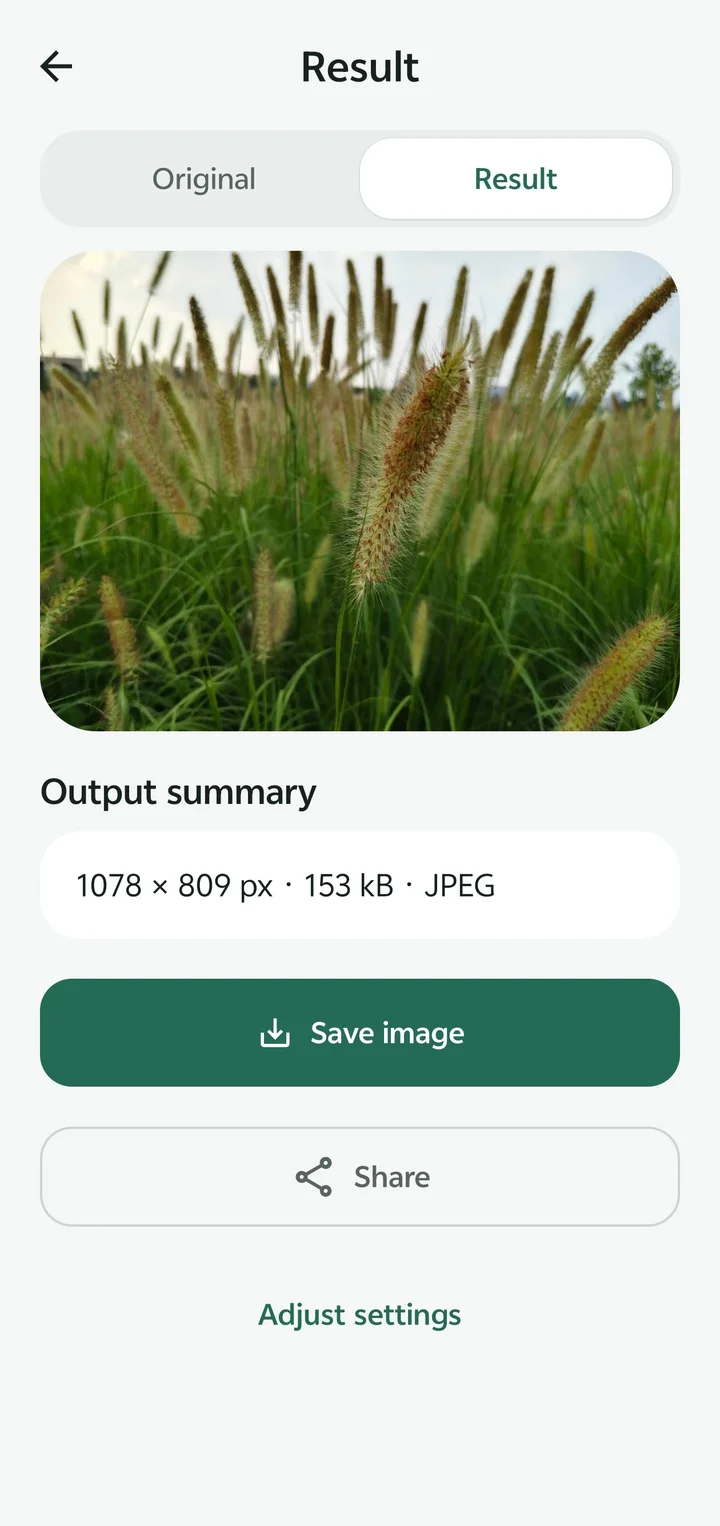
Check the output size
The result screen shows the saved dimensions and file size.
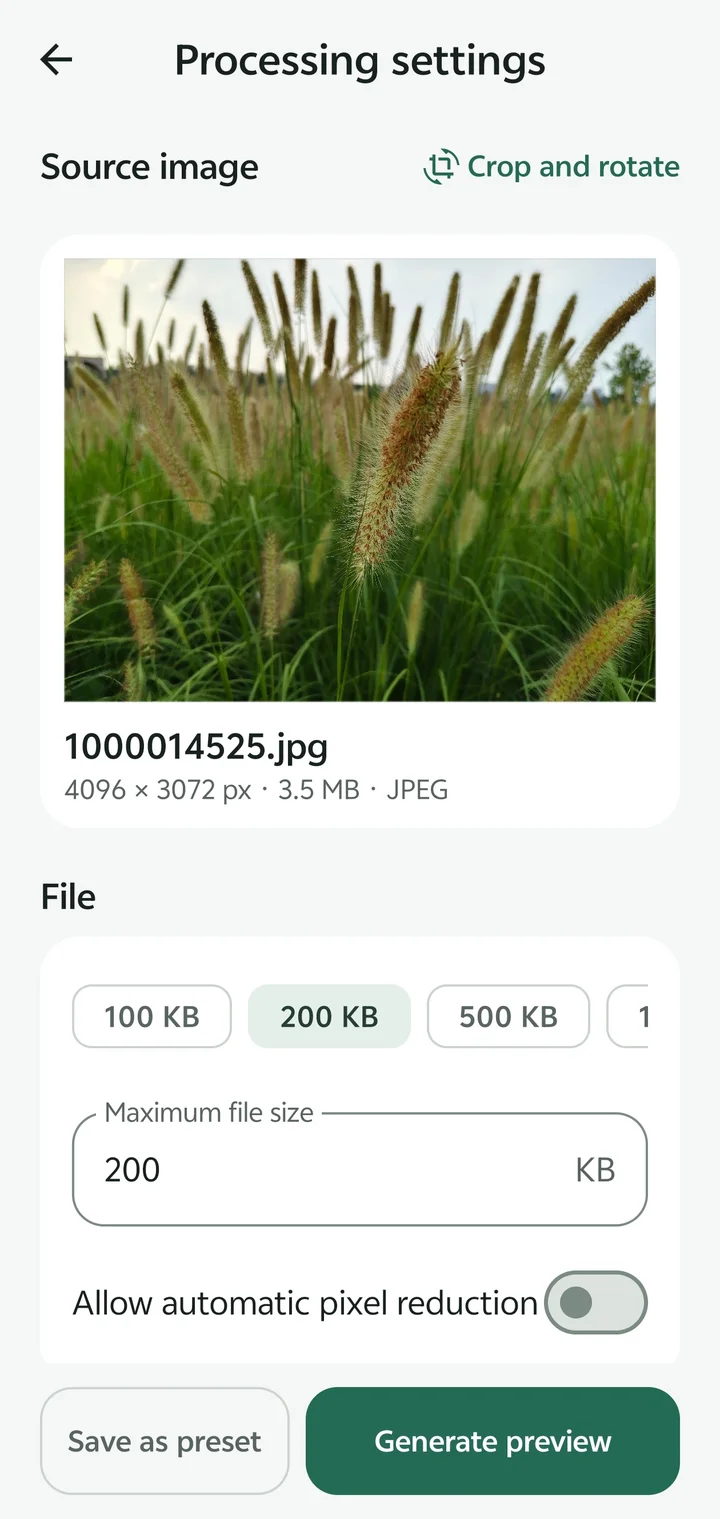
Exact KB Limits
Quick chips for 20 KB, 50 KB, 100 KB, 200 KB, or enter any custom number of kilobytes your form specifies.
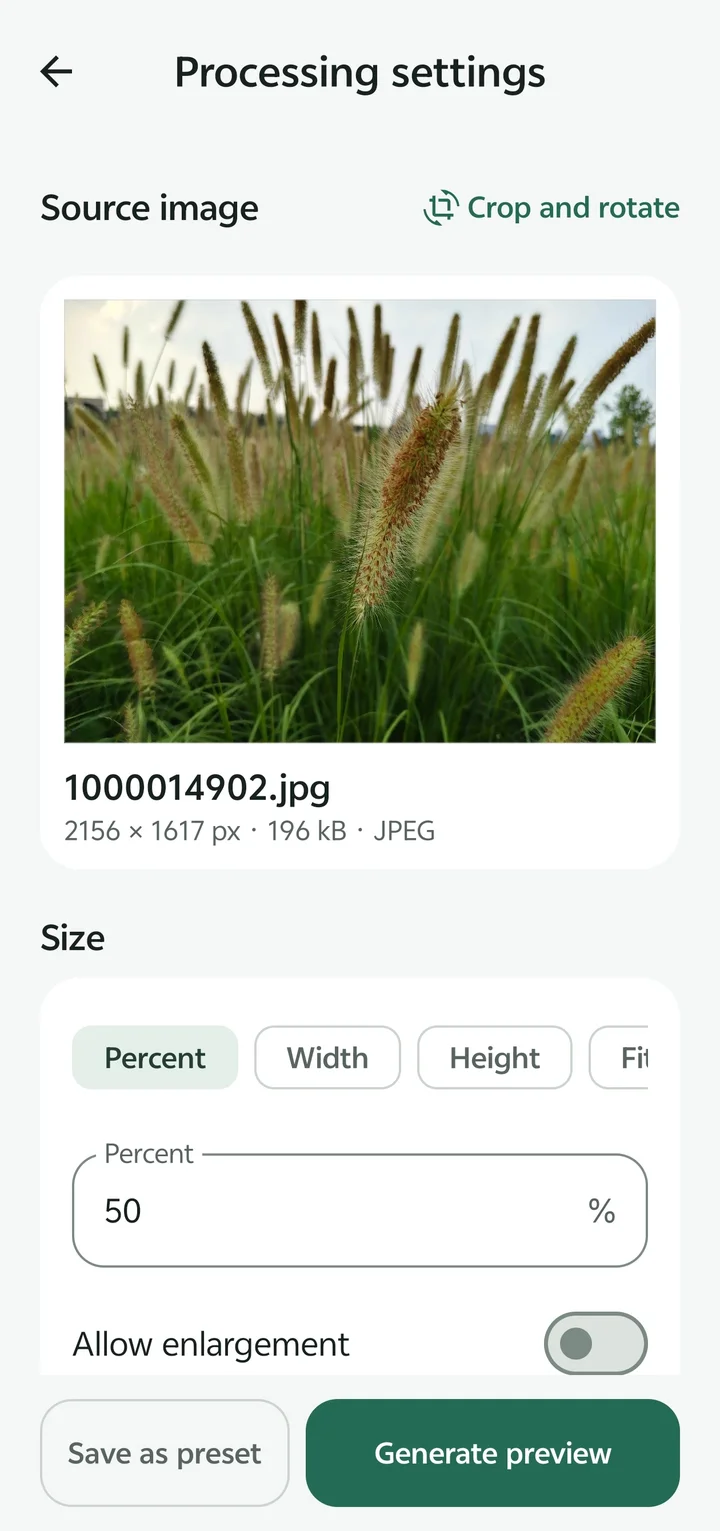
Flexible Dimensions & Canvas
Resize by exact width and height, percentage, fit within bounding box, or fit inside a fixed canvas with custom padding.
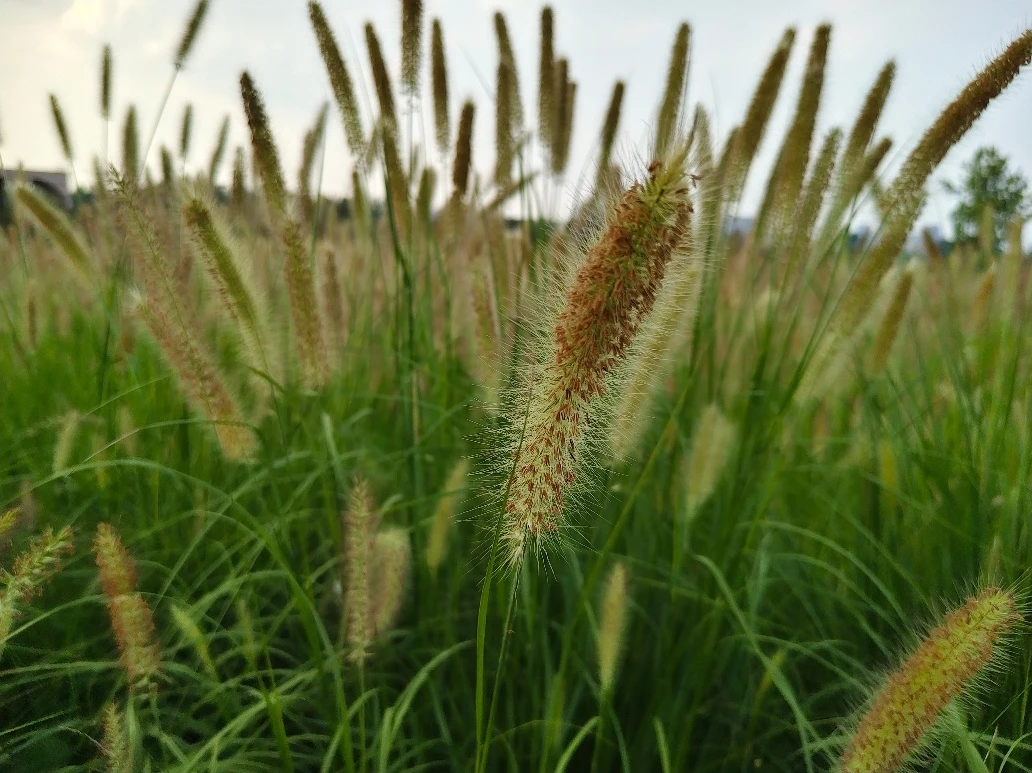
Screens show actual Pipit Android app UI with example photo.
One photo, three canvas shapes
Switch modes to compare the framing. For an application, use the pixel dimensions specified on its form.
-
Portrait canvas
350 × 450 px · 7:9
Padding keeps the full width of the scene visible.
-
Three-quarter portrait
300 × 400 px · 3:4
Center cropping trims the sides to fill the frame.
-
Square avatar
1080 × 1080 px · 1:1
Compare the edges before exporting a square image.
Convert formats & batch up to 100 images.
Choose a format for one image or apply the same settings to a batch.
JPEG Compression
Universal compatibility. Uses smart binary search to maximize quality while staying strictly under your KB target.
PNG Conversion
Lossless graphics with full transparency support. Perfect for signatures, stamps, and official seals.
WebP (Lossy & Lossless)
Choose lossy WebP for adjustable quality or lossless WebP to preserve pixel detail.
Batch Processing (Pipit Pro)
Queue up to 100 images and process them in order with the same settings.
Your photos never leave your phone.
- No account, no registration, and no login required.
- No photos, ID cards, passport scans, or signatures are ever sent to an external server.
- No watermarks added to your images, ever.
- No monthly subscription traps. Pro is a one-time purchase.
Pipit processes image pixels locally with Android Bitmap and Canvas.
Single-image resizing and KB compression are free.
A one-time Pro purchase removes ads and unlocks batch processing for up to 100 images and storage for up to 20 presets.
More apps
-
Cooldown
Phone temperature monitor
See your battery temperature, get an alert when your phone overheats, and find out what is heating it up.
Get it on Google Play -
Wattlab
Charging speed test
See the real watts going into your battery, find out why a charge is slow, and rank your chargers and cables.
Get it on Google Play -

Somna
Sleep diary and CBT-I
A sleep diary with a 6-week program based on cognitive behavioral therapy for insomnia.
Get it on Google Play -

Angora
Duplicate file finder
Find duplicate and large files, see what fills your storage, and free up space safely, with nothing deleted until you confirm.
Get it on Google Play